
Docker secrets in image layers: why deleting .env doesn't remove it
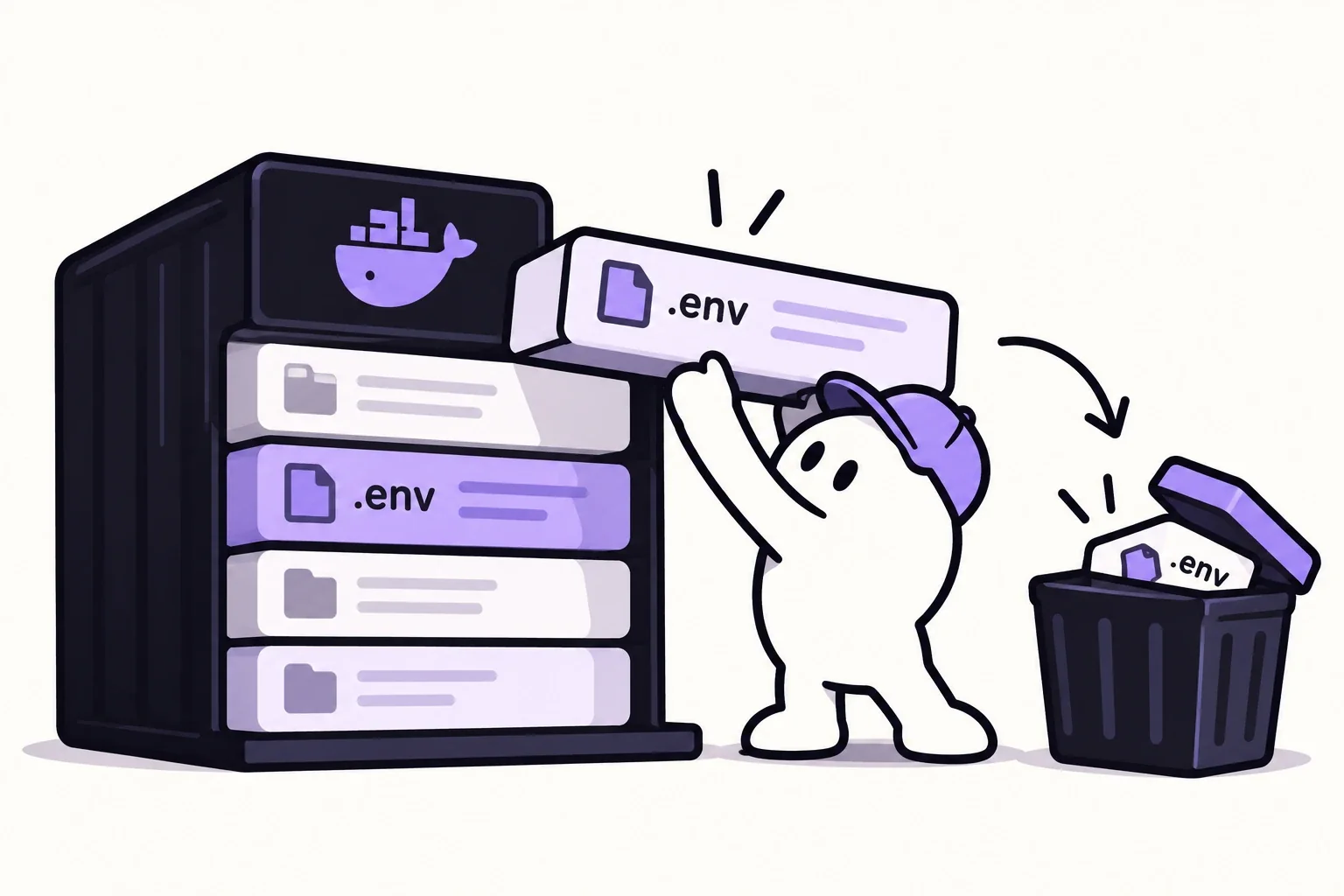
A Docker image is a stack of read-only layers, and each instruction that changes files adds one. If a COPY puts your .env into a layer, a later RUN rm .env only hides it in a new layer on top. The original layer still contains the file, and anyone who can pull the image can extract it. Build arguments and ENV values have the same problem. The fix is to keep secrets out of the build context, pass build-time secrets through BuildKit secret mounts, and give runtime secrets to the container when it starts.
How a deleted file survives in an image
Here is a Dockerfile pattern that looks careful:
FROM node:22-alpine
WORKDIR /app
COPY . .
RUN npm ci && npm run build
RUN rm -f .env
Three layers matter here. COPY . . writes the whole project, .env included, into a layer. npm ci && npm run build adds dependencies and build output in a second layer. rm -f .env adds a third layer that records the deletion.
Layers are never edited after they are created. Docker's storage driver documentation describes it directly: when a file is removed in a higher layer, it is still available in the previous layer. The container you run doesn't see the file, because the top layer masks it. The image you push still carries it, because the COPY layer is part of the image.
The same applies to anything written and then deleted in separate instructions: SSH keys copied in to clone a private repo, a .npmrc with a registry token, cloud credentials used to download assets.
ARG and ENV are not for secrets either
It is tempting to pass a token as a build argument instead of a file:
ARG NPM_TOKEN
RUN echo "//registry.npmjs.org/:_authToken=${NPM_TOKEN}" > .npmrc && npm ci
Docker's build documentation is explicit that build arguments and environment variables are inappropriate for passing secrets, because they persist in the final image. Values set with ENV sit in the image configuration for anyone to read. The Dockerfile reference adds that build arguments are visible in docker history and in provenance attestations generated in max mode.
Docker now catches the most obvious cases. Its build checks include SecretsUsedInArgOrEnv, which warns when an ARG or ENV name looks like a credential, with the message that potentially sensitive data should not be used in ARG or ENV commands. Build checks run by default with Buildx 0.15.0 or later and Dockerfile frontend 1.8 or later. They only print warnings unless you add the parser directive # check=error=true at the top of the Dockerfile, which makes the build stop instead.
Check your own image
Start with the metadata, which takes seconds:
docker history --no-trunc myimage:latest
docker image inspect --format '{{json .Config.Env}}' myimage:latest
The first command prints the instruction behind every layer, including build argument values used by RUN. The second prints every ENV value baked into the image configuration.
Then look inside the layers themselves. docker save exports the image as a tar archive of layer archives, which you can list without running anything:
mkdir -p /tmp/img && docker save myimage:latest | tar -xf - -C /tmp/img
find /tmp/img -type f | while read -r f; do
  tar -tf "$f" 2>/dev/null \
    | grep -E '(^|/)(\.env[^/]*|\.npmrc|id_rsa|[^/]*\.pem|credentials[^/]*)$' \
    | sed "s|^|$f: |"
done
Every line of output is a sensitive-looking file present in some layer, whether or not a later layer deleted it. Files that aren't layer archives are skipped silently.
A secret scanner does a broader version of the same thing. Trivy, for example, scans images for secrets by default, and trivy image --scanners secret myimage:latest limits it to that. Its documentation notes that it tries to detect the base image and skip those layers, which keeps the scan fast but means you should still review what your own layers add.
Fix 1: keep secrets out of the build context
The build context is everything Docker sends to the builder, and COPY . . copies all of it. A .dockerignore file next to the Dockerfile removes files before they ever reach the builder:
.env
.env.*
!.env.example
*.pem
*.key
.npmrc
.git
With this in place, COPY . . can't pick up your local env file even if someone adds one later. Excluding .git also keeps your commit history, and any secret that was ever committed to it, out of the image.
Fix 2: build-time secrets go through BuildKit secret mounts
Some builds really need a secret, such as a token to install private packages. BuildKit can mount it for a single RUN instruction without writing it to any layer:
FROM node:22-alpine
WORKDIR /app
COPY package.json package-lock.json ./
RUN --mount=type=secret,id=npmrc,target=/root/.npmrc npm ci
COPY . .
RUN npm run build
docker build --secret id=npmrc,src=$HOME/.npmrc -t myimage:latest .The file exists only while that RUN executes. Without target, it is mounted at /run/secrets/<id>. If the tool expects an environment variable rather than a file, the env option exposes the secret as a variable for that one instruction:
RUN --mount=type=secret,id=API_TOKEN,env=API_TOKEN ./scripts/download-assets.shdocker build --secret id=API_TOKEN .With only an id, as in this second command, Docker takes the value from the environment variable of the same name in the shell that runs the build.
For cloning private Git repositories over SSH, RUN --mount=type=ssh combined with docker build --ssh default forwards your SSH agent to the build instead of copying a key into the image.
Multi-stage builds help keep build tools out of the final image, but they aren't a substitute for secret mounts. The layers of the earlier stage still exist in the build cache of the machine that ran the build.
Fix 3: runtime secrets are given at runtime
Database passwords, API keys and signing secrets the application needs while running shouldn't be in the image at all. Provide them when the container starts: through your platform's secret settings, docker run --env-file, or Compose secrets, which are mounted as files:
services:
  app:
    image: myimage:latest
    secrets: [db_password]
    environment:
      DB_PASSWORD_FILE: /run/secrets/db_password
secrets:
  db_password:
    file: ./db_password.txt
Each secret appears inside the container at /run/secrets/<name>. Docker's Compose documentation prefers files over environment variables because environment variables are often available to all processes and can be printed in logs when debugging errors. Several official images, MySQL and PostgreSQL among them, read a _FILE variant of their password variables for exactly this reason.
If a secret already shipped in an image
If the image was ever pushed to a public registry, or a private one that more people can read than should, assume the secret was copied. Deleting the tag or the repository doesn't undo pulls that already happened.
- Rotate the secret at the provider and update every place it is used.
- Check the provider's logs for use you don't recognise since the image was published.
- Fix the Dockerfile with the steps above, rebuild, and run the layer check again.
- Remove the old image from the registry so it isn't pulled again.
The same "deleted but still there" problem applies to Git history and to AI coding tools that can read your project folder; how .cursorignore handles .env files covers the second.
FAQ
Does deleting a file in a later Docker layer remove it from the image?
No. Each layer is immutable, so a deletion only adds a new layer that hides the file. The earlier layer, with the file inside, is still part of the image and can be extracted with docker save.
Are Docker build args safe for secrets?
No. Docker's documentation says build arguments and environment variables persist in the final image. Use RUN --mount=type=secret with docker build --secret for anything sensitive the build needs.
How do I check a Docker image for secrets?
Run docker history --no-trunc and docker image inspect to see build commands and environment values, then export the image with docker save and list each layer archive for sensitive file names. A scanner such as Trivy automates the search across layers.
Sources
Keep reading
Does .cursorignore protect your .env file? What Cursor actually blocks
What .cursorignore blocks in Cursor (Agent, Tab, @ mentions), why the agent's terminal can still read your .env file, and how to keep real keys out of reach.
Docker bypasses ufw: why published ports stay open, and how to close them
Why ports published with Docker ignore ufw and firewalld, how to see what is reachable from outside, and three fixes taken from Docker's own documentation.
How to check your Supabase row level security like an attacker would
A four-step test for Supabase row level security: RLS on every table, no blanket policies, a request as a stranger, and rotating anything exposed.